Introduction
Have you ever arrived home, groceries in hand, only to struggle with a malfunctioning garage door remote? You're not alone. Learning how to program your garage door remote is a valuable skill that can save you time and frustration. At Loyal Garage Door Repair, we serve the Wallingford, CT community and are here to help you navigate this process seamlessly.
Why Programming Your Garage Door Remote is Important
Programming your garage door remote ensures that you have a reliable way to access your garage and home. Here are a few reasons why it's essential:
- Convenience: Easily open your garage door without leaving your vehicle.
- Security: Reduce the risk of unauthorized access with custom codes.
- Efficiency: Get quick access to your garage, especially during inclement weather.
Garage Door Remote Statistics
Did you know that approximately 70% of U.S. homes are equipped with garages, and more than 60% of those homeowners use garage door openers? Properly programming your remote is crucial for both security and convenience.
Step-by-Step Guide to Programming Your Garage Door Remote
Programming a garage door remote may seem daunting, but it's typically a straightforward process. Follow these steps:
1. Check Your Garage Door Opener
Before you begin, ensure that your garage door opener is functioning correctly. Look for the following:
- Power supply: Make sure it’s plugged in.
- LED lights: Check if they are blinking or solid.
- Interference: Ensure no obstacles block the remote’s signal.
2. Locate the Learn Button
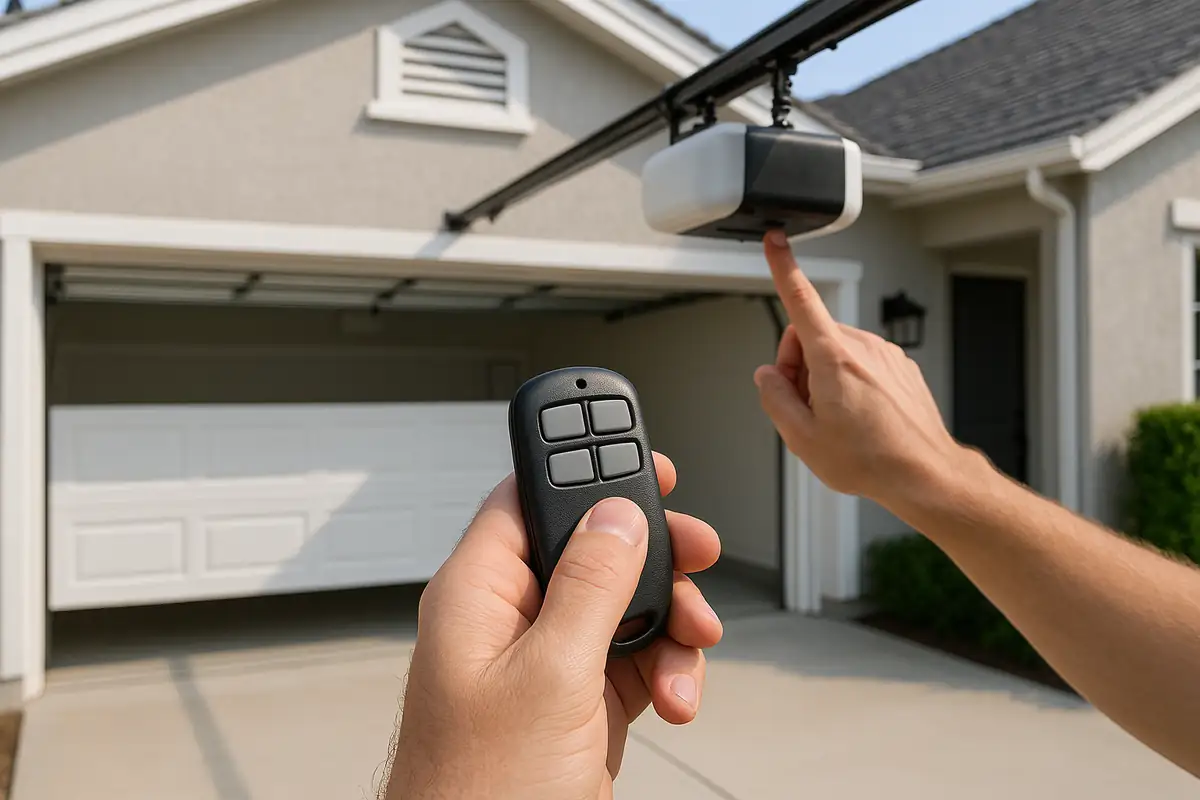
Most modern garage door openers have a learn button, typically located on the back or side of the motor unit. It may be labeled “Learn,” “Smart,” or something similar.
3. Clear Existing Codes (if necessary)
If you want to erase previous codes or remotes, press and hold the learn button until the indicator light turns off. This will reset the opener, allowing you to program a new remote.
4. Program the New Remote
Here’s how to program your new remote:
- Hold the remote close to the motor unit.
- Press and release the learn button. The LED light should start blinking.
- Press and hold the button on your remote that you want to program. The light on the motor unit will stop blinking and remain solid when the programming is successful.
5. Test the Remote
After programming the remote, test it by pressing the button to see if the garage door opens and closes smoothly. If it doesn’t work, repeat the steps.
Troubleshooting Common Issues
If you encounter problems while programming your garage door remote, here are some common issues and solutions:
- Remote Not Responding: Check the battery in the remote and replace it if necessary.
- Garage Door Opens Randomly: This could be due to interference from other devices. Try changing the code or frequency.
- Cannot Locate the Learn Button: Refer to your garage door opener's manual for precise instructions.
When to Call a Professional
Sometimes, the issue with your garage door remote might require professional help. You should consider contacting Loyal Garage Door Repair in Wallingford, CT if:
- Your garage door opener isn’t functioning correctly.
- You’ve tried troubleshooting and programming without success.
- You want a more sophisticated system, such as a smart garage door opener.
Conclusion
Programming your garage door remote doesn’t have to be a mystery. With the right steps and a bit of patience, you can regain access to your garage easily. Remember that Loyal Garage Door Repair is here to assist you with any garage door needs in Wallingford, CT. If you face any challenges or want expert assistance, don't hesitate to reach out to us!
Call to Action
Ready to enhance your garage’s convenience and security? Contact Loyal Garage Door Repair today for professional assistance in Wallingford, CT. Let us help you keep your home secure and accessible!
Explore More Resources
Related Articles
Service Areas
We proudly serve Wallingford, Yalesville, South Meriden, Northford, North Haven and more areas.
Our Services
Professional garage door repair, spring repair, opener installation and more. View all services →

Robert J.
View full profile
How to Program Your Garage Door Remote - Expert Tips from Loyal Garage Door Repair
Common Garage Door Problems and How to Fix Them | Loyal Garage Door Repair